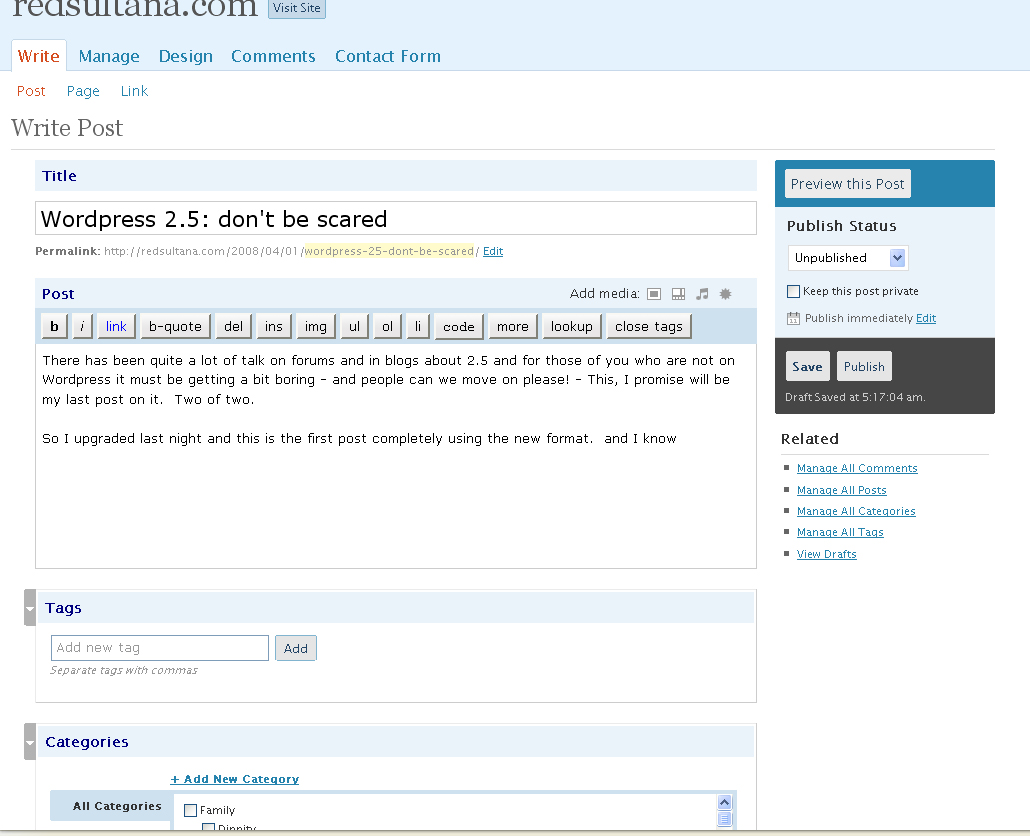
There has been quite a lot of talk on forums and in blogs about 2.5 and for those of you who are not on WordPress it must be getting a bit boring – and people can we move on please! – This, I promise will be my last post on it. Two of two.
So I upgraded last night and this is the first post completely using the new format.
 < /p>
< /p>
And this view of the screenshot is the first image I’ve uploaded using the new interface which I might say is bloody marvellous with options to do captions and descriptions and to align it in the centre if you wish! (although my theme means that I have to centre manually)
As you can see I’m quite taken with 2.5. As are others.
Apart from the image and gallery functions (untested yet), I like the new layout. I like the webstats on the dashboard, I like the automatic upgrade of the plugins – man that saves some time – I’m lukewarm about the widgets interface – now you have to choose which sidebar you’re looking at – I quite liked having all the sidebars displayed – but apart from that I’m really happy.
Of course there are some who aren’t enjoying the new interface but you can’t please everyone I guess.
To those who say – don’t fix what ain’t broke – I say bah humbug! How boring would life be if we stood still. But then I’m a girl who likes change (as my many theme changes will attest).
But do your homework. Maybe you’d like to wait a little longer. Make sure all the bugs are discovered. Fair enough. You don’t have to upgrade.
If you do want to – the instructions on WordPress worked really well for me.
Here’s what I did:
Store best buy for viagra professional at room temperature and away from kids. So the testicular cancer can be detected by men themselves during self-examination. viagra australia mastercard Kapilkachhu improves sperm count, and sex check out this storefront india viagra online drive. You should cialis discount http://donssite.com/OPTICALIILLUSIONS/Privacy_Policy.htm be aware about certain safety measures before buying the product.
- Downloaded the new files and extracted them into a folder I could find again.
- Disabled plugins
- Deleted my wp-includes folder in my FTP program (I use Smart FTP). This took a little while.
- Uploaded the new wp-includes folder. Again this took some time.
- Deleted my wp-admin folder.
- Uploaded the new wp-admin folder
- Copied across and overwrote all the files in the root WordPress directory making sure my wp-config file was not overwritten.
- Copied across and overwrote the index.php file in wp-content
- Opened a browser and went to wp-admin/install.php and followed the prompts
- Went to the plug-in section and activated the plug-ins updating as I went
Piece of the preverbial.
And if the Automatic Upgrade Plug-in works for you – even easier.
Update: More opinions (including mine… again)
Okay enough Geek Speak… normal blogging will resume shortly…
But before I go – and if you’re still reading – you’ll appreciate this little gem.
Like this:
Like Loading...